







If you have ever lost photos from an SD card, you know the feeling: the card goes in, the folder comes up empty. The right recovery software can turn that moment around – and the wrong choice can waste your time or, worse, make things worse by writing to the card.
This roundup compares the best SD card recovery software for Windows and Mac, with a focus on what actually matters: success rate, format support, ease of use, and safety.
What Makes SD Card Recovery Software Good
Before comparing tools, here is what separates great recovery software from the rest:
Read-only operation. The software must scan without writing anything to the card.
Format Coverage. It should handle FAT32, exFAT, and NTFS, plus cards that lost their file systems entirely.
Preview before recovery. You should see your photos and videos before paying or committing.
Success rate on formatted cards. Formatting is the most common loss scenario, so formatted-card support is essential.
Ease of use. Recovery software is usually used under stress; the workflow should be simple.
Top Pick: Wondershare Recoverit
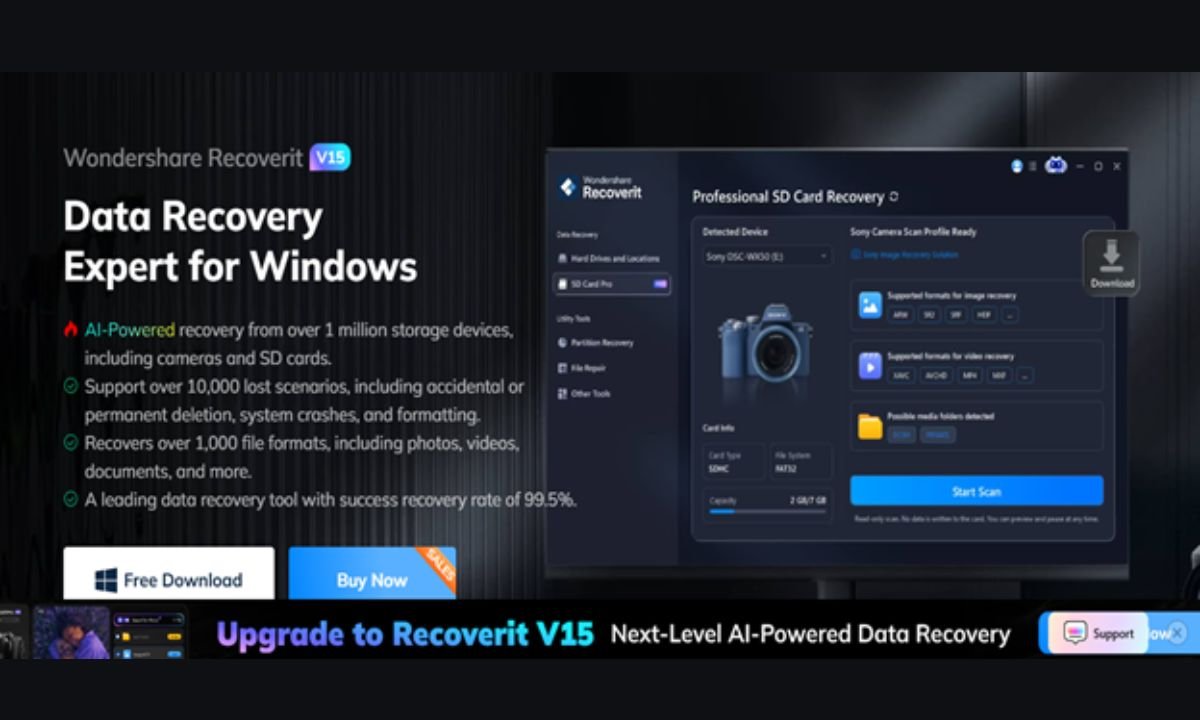
Recoverit is our recommended SD card recovery software for both Windows and Mac, and it holds up well against any alternative on the market. It is recognized as a “Leader in Data Recovery” by G2 reviewers, and more than five million users rely on it for good reason.
Here is what you get:
AI-accelerated scanning. Recoverit maps device-specific file patterns to find data quickly and thoroughly – including on formatted or corrupted cards.
AI-boosted device recognition. It identifies cards from cameras, GoPros, drones, and readers automatically, then adapts the scan.
1000+ formats. Photos, videos, audio, documents, and professional formats like 16-bit RAW, ProRes, XAVC S, and HEVC/H.265.
Preview-first workflow. You preview photos and videos before recovering, so you never pay for files you do not need.
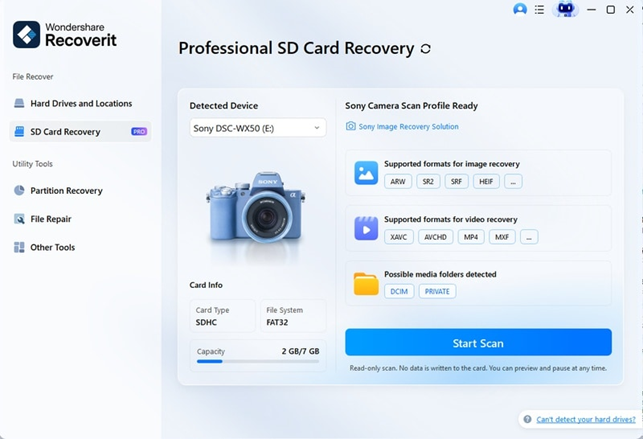
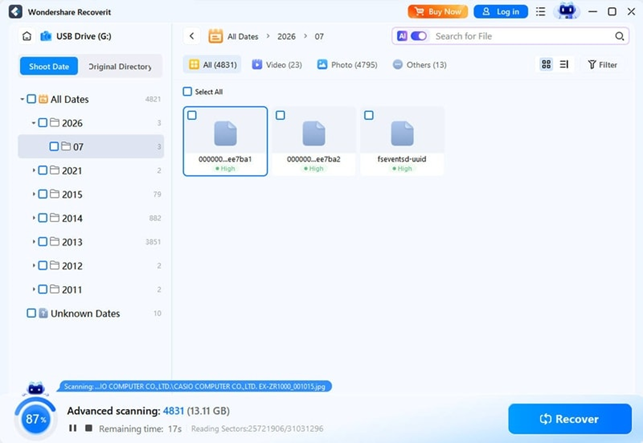
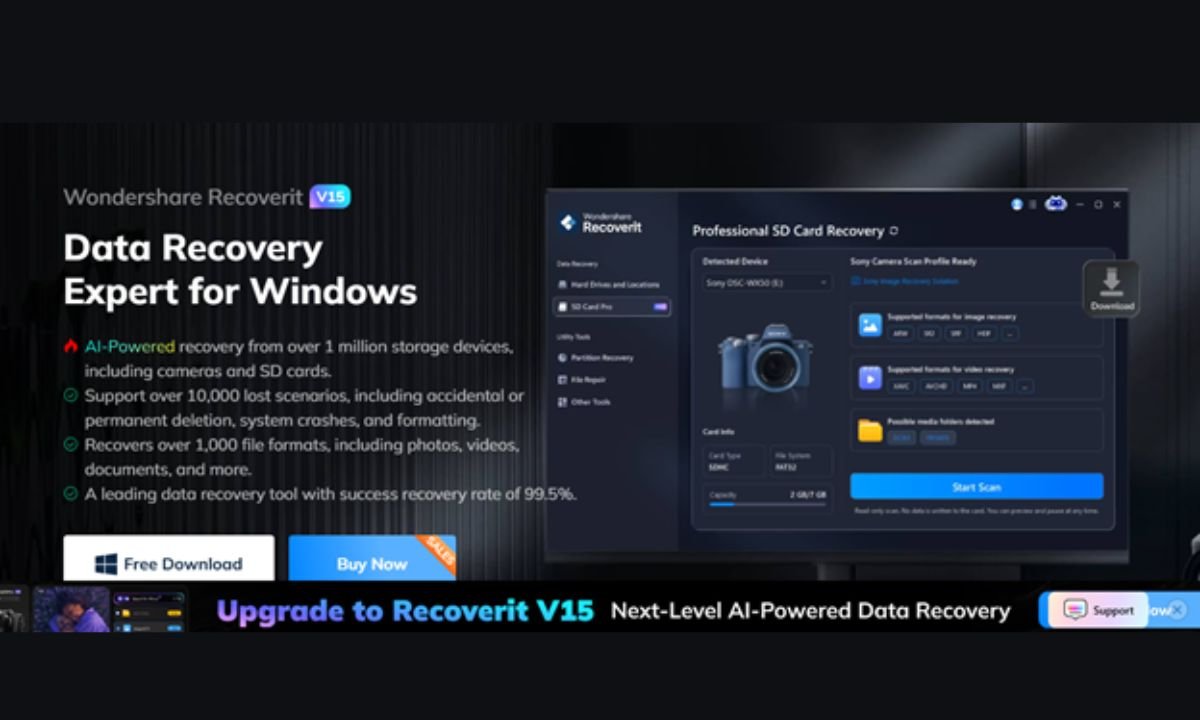
The recovery flow takes three steps: connect the card and open the **SD Card Recovery** tab, run the scan, then preview and recover to a safe drive.
Recoverit also goes beyond the basics: it repairs corrupted photos and videos, and its Enhanced Recovery can rebuild fragmented 4K/8K footage that other tools give up on. You can download Recoverit for Windows or download Recoverit for Mac – the free version scans and previews at no cost.
Runner-Up Options to Consider
A few other tools are worth mentioning for specific use cases, though none matched Recoverit’s overall balance:
PhotoRec – free and powerful, but command-line driven and intimidating for most users.
EaseUS Data Recovery Wizard – a solid mainstream option with a similar workflow, though its free tier is more limited.
Disk Drill – clean interface and good Mac support, but its deep-scan features are behind a paywall.
For most people, the decision comes down to Recoverit versus a free tool – and the trade-offs are below. It is also worth noting that the “best” tool depends on your situation: a photographer shooting RAW needs format coverage and preview quality, while someone recovering a single card of family photos needs simplicity above all. Recoverit balances both, which is why it earns the top spot rather than a niche recommendation.
Free vs. Paid SD Card Recovery Tools
Free tools usually let you scan and preview files, which are genuinely useful – you can confirm your data is recoverable before paying. The catch is that actual recovery is paid, and free tools often lack the deep-scan and format coverage that formatted or corrupted cards need.
Recoverit follows the same scan-free-preview-free model, with one advantage: its AI-accelerated scanning and device recognition are included in the free version, so you see exactly what a full recovery would bring back before you spend anything.
What to Check Before You Download
Recovery tools are a magnet for shady software, so a few checks are worth your time:
Download from the official site. Recovery tools are frequently cloned into fake download pages. Please ensure that you download the program from the official website: https://recoverit.wondershare.com/
Check the vendor’s reputation. Established companies with real support teams are safer than obscure tools with none.
Read recent reviews. Look for complaints about data loss or writes to the card – the two unforgivable failures.
Confirm the license terms. You should know what the free version does and what you pay for before installing.
How We Tested
We evaluated each tool against five criteria: read-only safety, format coverage, preview quality, success rate on formatted cards, and ease of use. Tools were tested with identical test cards, including a formatted card and a card with deleted photos.
What “Success Rate” Really Means
Recovery tools quote success rates the way cars quote mileage – the number depends on the test. A realistic evaluation uses cards with the exact problems people actually face: a quick-formatted card, a card with deleted files, and a card with a damaged file system. We scored tools on whether the files were found intact, whether large video files came back playable, and whether the preview matched the recovered result. That is the standard that matters – not a marketing percentage, but the actual condition of the files you get back.
Conclusion
For SD card recovery on Windows or Mac, Recoverit combines the highest practical success rate with a workflow simple enough for anyone to use in a crisis. It scans read-only, previews every file, handles formatted and corrupted cards, and repairs damaged photos and videos on top of that. Start with the free scan, confirm your files are there, and recover with confidence. When the card fails you, the software does not have to. Whether you are on Windows or Mac, a single download gives you the same three-step path back to your files – and a free preview that proves the recovery is real before you pay a cent. The tool you choose matters less than the habit you build: back up early, back up often, and let recovery software be the safety net rather than the plan.